Gemini 3D photo 25+ prompt :- 3D एक्शन फिगर ट्रेंड जानें क्या है और कैसे बनें इसका हिस्सा?
इंस्टाग्राम पर छाया 3D एक्शन फिगर ट्रेंड! जानें कैसे AI से अपनी फोटो को Bandai स्टाइल, एनीमे या गॉथिक फिगर में बदलें।
 DK Choudhary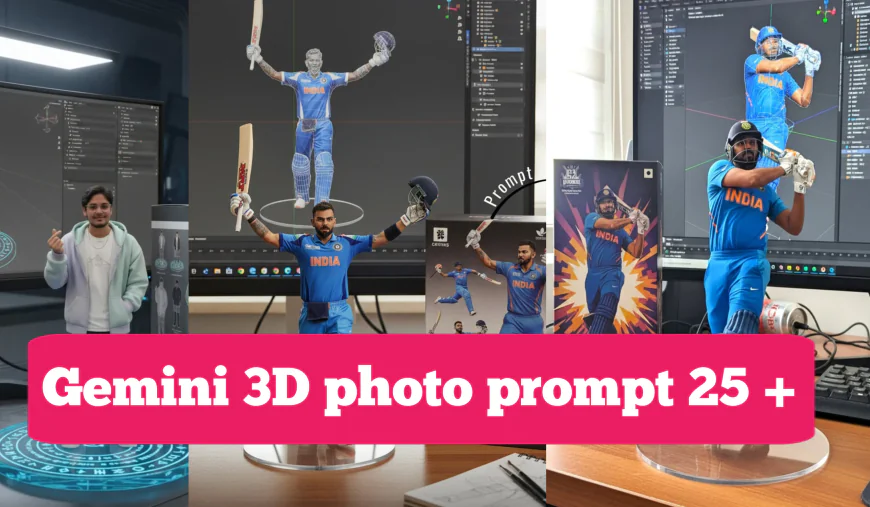
3D एक्शन फिगर ट्रेंड: क्या है और इसमें कैसे शामिल हों?
आजकल इंस्टाग्राम और टिकटॉक पर एक नया ट्रेंड धूम मचा रहा है - AI से बने 3D एक्शन फिगर! आपने देखा होगा कि लोग अपने 3D मॉडल शेयर कर रहे हैं, जो बिल्कुल बंदाई (Bandai) के खिलौनों या किसी मशहूर एनीमे कलेक्शन के फिगर जैसे दिखते हैं। कुछ मॉडल एकदम असली लगते हैं, कुछ एनीमे स्टाइल में होते हैं, तो कुछ गॉथिक और डरावने भी!
यह ट्रेंड इतना वायरल क्यों है?
इस ट्रेंड के पीछे कुछ खास वजहें हैं:
- अपना अनोखा एक्शन फिगर: आप अपनी किसी भी फोटो को एक 3D एक्शन फिगर में बदल सकते हैं, जो देखने में बेहद खास और यूनिक लगता है।
- प्रोफेशनल लुक: AI की मदद से बने ये मॉडल इतने रियलिस्टिक और शानदार दिखते हैं कि हर कोई हैरान रह जाता है।
- दोस्तों के साथ मस्ती: अपने दोस्तों को टैग करके उन्हें "एक्शन फिगर बडी" बनाएं और इस ट्रेंड का हिस्सा बनें।
आपको किन टूल्स की जरूरत पड़ेगी?
- इमेज बनाने के लिए: Google Gemini या कोई अन्य AI इमेज जेनरेटर।
- प्रॉम्प्ट लिखने के लिए: ChatGPT का इस्तेमाल करें या नीचे दिए गए प्रॉम्प्ट्स का उपयोग करें।
- वीडियो बनाने के लिए: RunwayML, Kling AI, या Google Veo जैसे AI वीडियो जेनरेटर।
अपना वायरल 3D एक्शन फिगर कैसे बनाएं?
इन आसान स्टेप्स के साथ आप भी इस इंस्टाग्राम ट्रेंड का हिस्सा बन सकते हैं:
- Google Gemini या किसी अन्य AI इमेज जेनरेटर पर जाएं।
- अपनी एक फोटो अपलोड करें।
- नीचे दिए गए प्रॉम्प्ट्स में से अपनी पसंद का प्रॉम्प्ट कॉपी-पेस्ट करें।
- 'Generate' बटन पर क्लिक करें और AI का कमाल देखें!
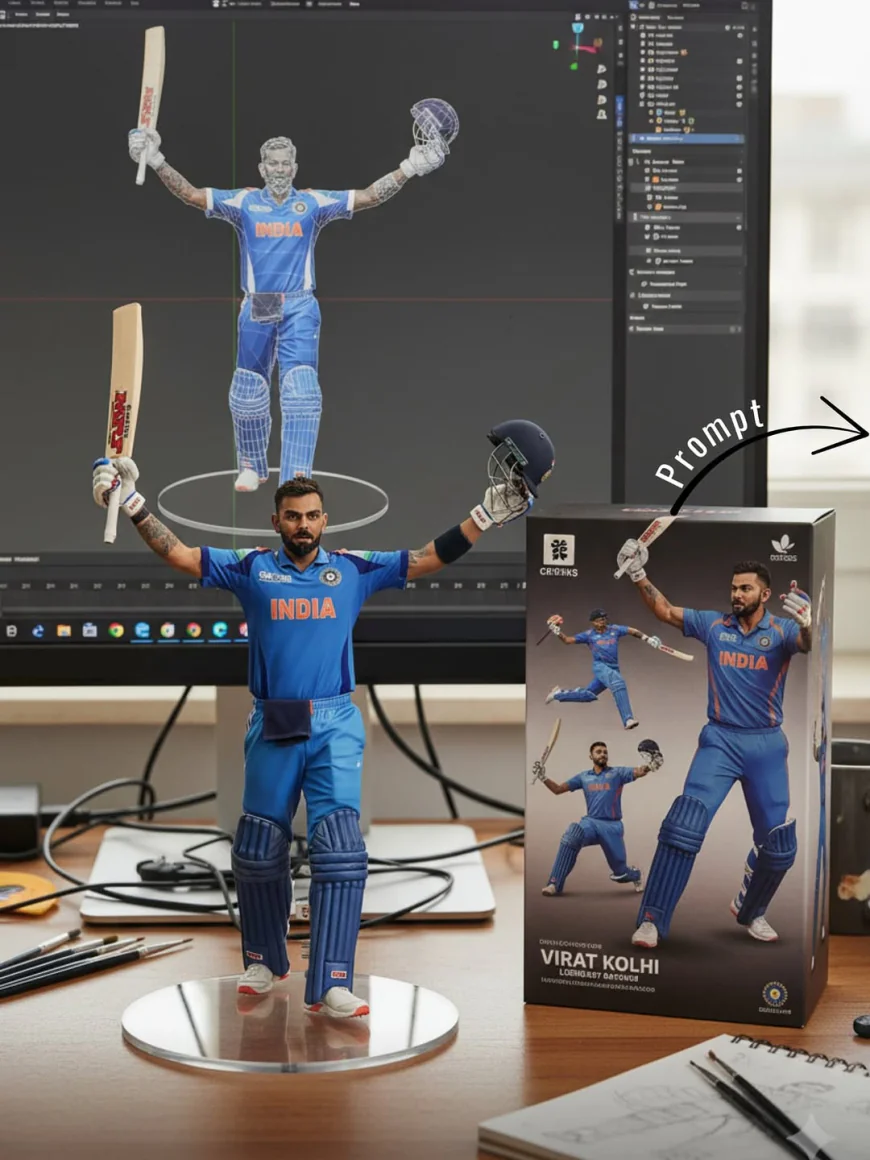
Prompt:-commercialized figurine of the characters in the picture, in a realistic style, in a real environment. The figurine is placed on a computer desk. The figurine has a round transparent acrylic base, with no text on the base. The content on the computer screen is a 3D modeling process of this figurine. Next to the computer screen is a toy packaging box, designed in a style reminiscent of high-quality collectible figures, printed with original artwork. The packaging features two-dimensional flat illustrations.
अलग-अलग स्टाइल के लिए प्रॉम्प्ट्स (कॉपी-पेस्ट करें)
यहां कुछ अलग-अलग स्टाइल के लिए प्रॉम्प्ट्स दिए गए हैं, जिन्हें आप Gemini या किसी अन्य AI इमेज टूल में इस्तेमाल कर सकते हैं:
-
रियलिस्टिक बंदाई स्टाइल (Realistic Bandai Style) यह स्टाइल ऐसा लगता है जैसे आपका फिगर असली हो और बंदाई के बॉक्स में रखा हो। इंस्टाग्राम के लिए परफेक्ट!
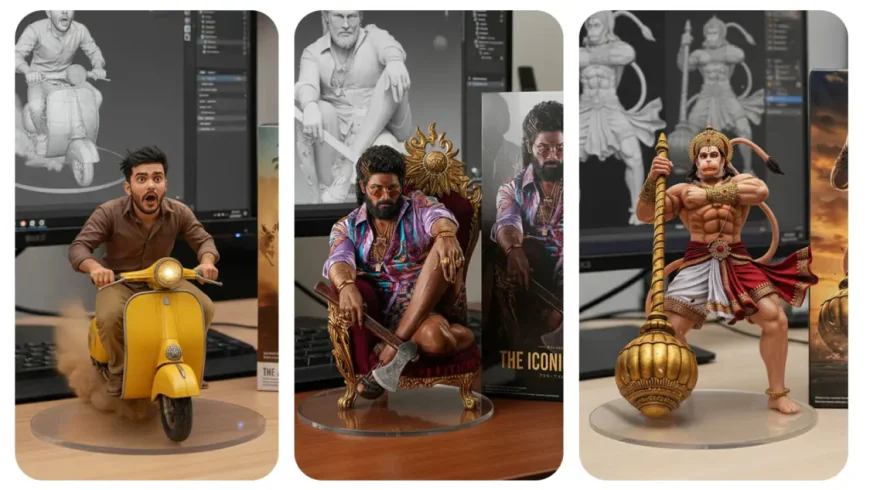
प्रॉम्प्ट: Create a 1/7 scale commercialized figure of the character in the illustration, in a realistic style and environment. Place the figure on a computer desk, using a circular transparent acrylic base without any text. On the computer screen, display the Brush modeling process of the figure. Next to the computer screen, place a BANDAI-style toy packaging box printed with the original artwork.
-
एनीमे/मांगा स्टाइल (Anime/Manga Style) यह स्टाइल ऐसा लगता है जैसे आपका फिगर जापान में बिकने वाला कोई शोनेन एनीमे फिगर हो।
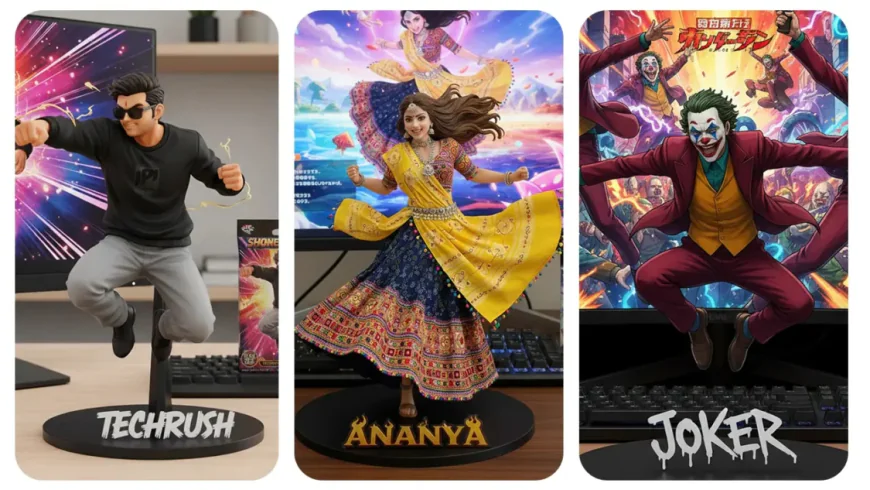
प्रॉम्प्ट: Create a 1/7 scale stylized figure of the character from the illustration, in a dynamic pose reminiscent of a shonen anime. The figure is placed on a simple black base with the character’s name in a stylized font. On the computer screen, a vibrant anime opening sequence with the character is playing. A collectible card game booster pack featuring the character’s art is next to the computer.
-
गॉथिक स्टाइल (Gothic Style) हॉरर और गॉथिक स्टाइल पसंद करने वालों के लिए यह बेहतरीन है। यह एक डरावना और कीमती संग्रहणीय मॉडल जैसा दिखता है।
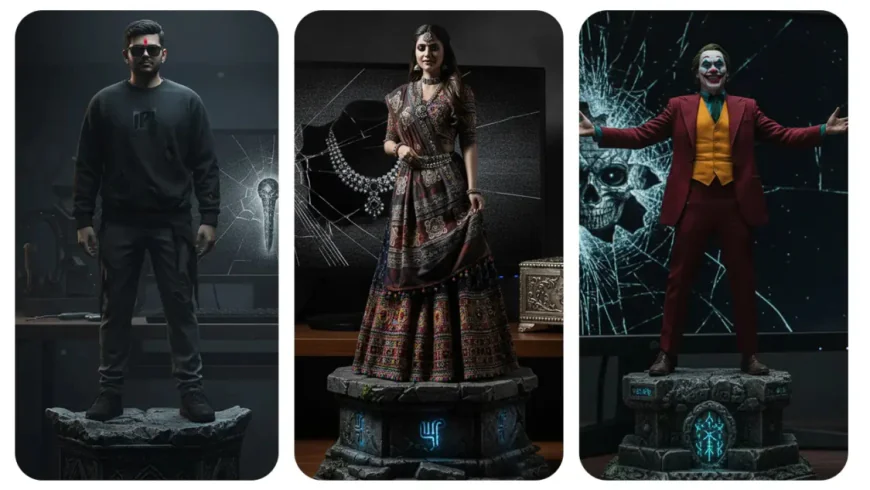
प्रॉम्प्ट: Create a 1/7 scale finely detailed resin statue of the character, in a dark and dramatic style. The figure is posed atop a crumbling stone pedestal with intricate carvings. The computer screen is cracked and displays a haunting, static image of a cursed artifact. A tarnished, silver-plated music box with the character’s motif is placed next to the screen.
इमेज को वीडियो में कैसे बदलें?
जब आपका 3D एक्शन फिगर इमेज तैयार हो जाए, तो उसे Kling AI, RunwayML, या Google Veo जैसे टूल्स की मदद से एक छोटा वीडियो बनाएं।
वीडियो के लिए प्रॉम्प्ट: Two hands gently pick up the figure on the frame and rotate it slightly for inspection. The model in the packaging box remains stationary, while all other background elements stay unchanged.
इंस्टाग्राम पर 3D एक्शन फिगर ट्रेंड कैसे ज्वाइन करें?
- अपने बनाए हुए 3D एक्शन फिगर को इन हैशटैग्स के साथ पोस्ट करें: #ActionFigureTrend, #GeminiAI, #3DModel, #AIArt, #ActionFigure
- अपने दोस्तों को "Instagram Action Figure Friends" के रूप में टैग करें।
- देखते ही देखते आपकी पोस्ट वायरल हो जाएगी!
तो देर किस बात की? आज ही अपना 3D एक्शन फिगर बनाएं और इस ट्रेंड का हिस्सा बनें